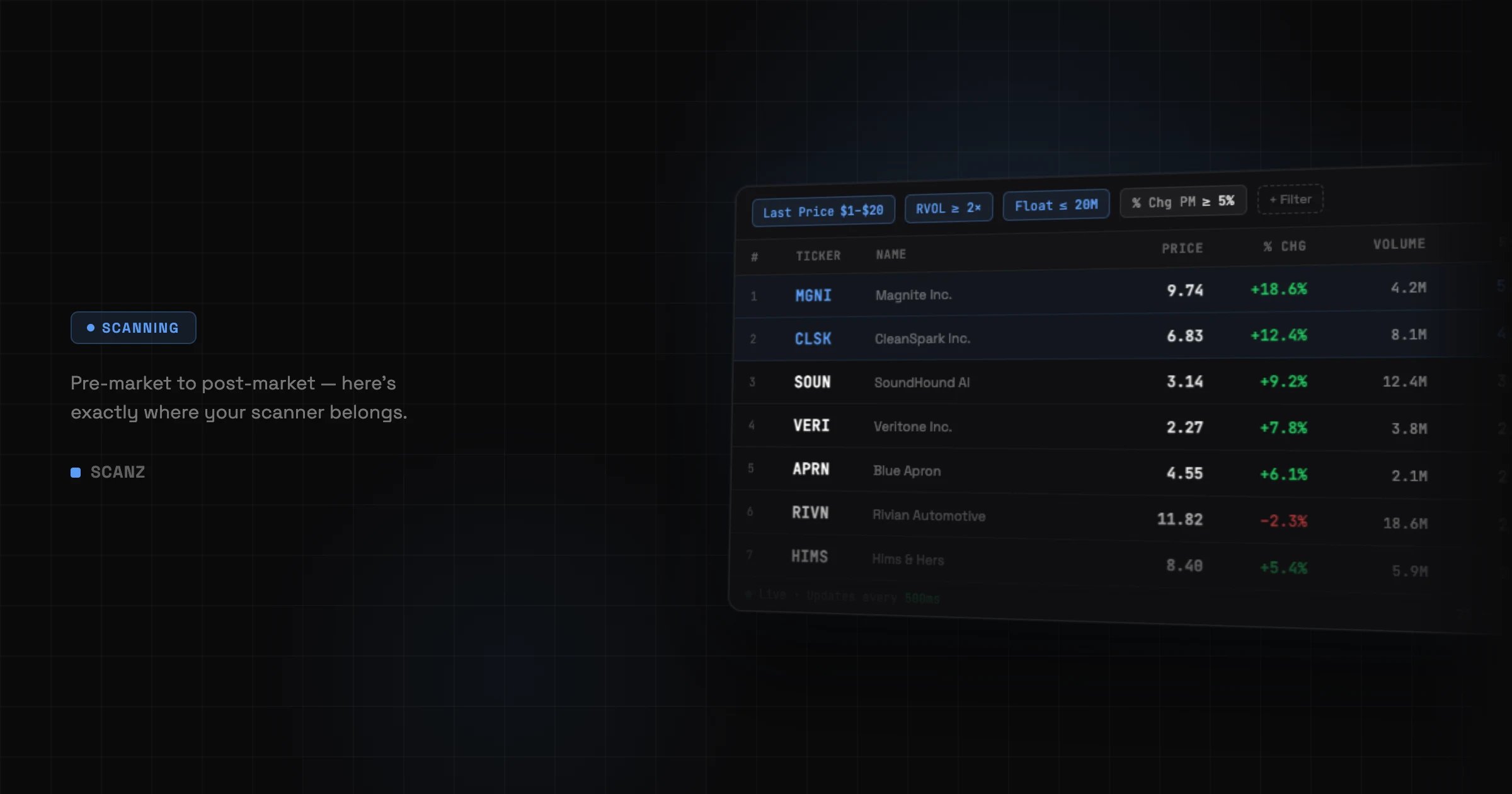
The short answer: A day trading stock screener belongs at every stage of your trading day — pre-market to find your setups, at the open to time entries, intraday to stay disciplined, and post-market to refine your filters. Without one, you’re doing manually what a scanner handles in milliseconds.
If You’ve Been Around, You’ve Tried Everything
I’ve been trading long enough to remember manually refreshing news feeds and flipping through hundreds of charts before the open, hoping something would stand out.
I’ve tried Discord “alerts,” overpriced newsletters, Reddit signal threads, and those shady Telegram channels (you know the ones). I’ve backtested to death, coded custom indicators, and set price alerts that never seemed to fire on time.
What I finally realized? It wasn’t my strategy that needed tweaking. It was the flow — how fast I could find my setup, validate it, and act before the crowd caught on.
That’s where scanners come in. But not all scanners are equal, and more importantly, most traders don’t actually know where a scanner fits into their process.
Let’s fix that.
Part 1: Know Thyself (and Thy Setup)
What is a stock scanner? A stock scanner continuously monitors the entire market and surfaces stocks matching your exact criteria — price range, volume, momentum, float size, technical levels — updating in real time as conditions change. It removes the manual hunt entirely.
Here’s the truth: if you don’t already have a defined setup, a scanner will overwhelm you.
You’ll stare at columns, filters, and triggers like it’s a Bloomberg terminal and wonder why nothing is clicking.
But if you do know your setup — whether it’s:
- Morning gap and go
- Midday VWAP reclaim
- Low-float breakouts on volume
…then a scanner isn’t optional anymore. It’s your edge multiplier.
The key thing to understand is that Scanz has three distinct tools that work together, and most traders only use one of them. There’s the Data Scanner — which shows you every stock matching your criteria right now. There’s the Signal Scanner — which tells you the instant something happens, like a stock breaking to a new high or crossing above VWAP. And there are Alerts — which watch specific stocks you’re already tracking and notify you when they hit your conditions. Understanding which tool to reach for, and when, is half the battle.
Part 2: Your Day Trading Stock Screener Is Your Scout
Think of your scanner like a battle-hardened scout. It doesn’t make decisions. It doesn’t execute. It just brings back intel fast — before anyone else even knows where to look.
Here’s how it fits into your workflow.
Pre-Market: Scouting the Field
Pre-market runs from 4:00 AM to 9:30 AM ET. This is where 80% of the game is won. You’re looking for gaps, hunting unusual volume, and reading the news.
With a real-time scanner, this takes 5 minutes, not 45. You load a pre-market gapper scan — filtered to stocks up 5–10%+ using Percent Change (PM session) (Change filters category, session set to PM), with at least 100,000 shares traded using Volume (PM session) (Liquidity filters category), priced between $1 and $20 using Last Price (Price filters category) — hit go, and get a focused shortlist in seconds. The Data Scanner Guide walks through building and saving these. Or load the prebuilt Gainers (Pre-Market) scan from the sidebar and customise from there.
What makes Scanz particularly valuable here is that results update every 500ms — twice per second. Stocks flow in and out of the list dynamically as they match or stop matching your filters. Every data point — price, volume, percent change — is live. That’s not a screener giving you a snapshot. That’s a live feed.
I used to build watchlists manually. Now I press a button and validate the top hits.
One thing I also run pre-market: Relative Volume (Liquidity filters category — compares current activity against the stock’s historical daily average). An RVOL of 3x or higher on a pre-market gapper tells me there’s real conviction behind the move, not just a thin-volume drift. Set it as an additional filter in your scan and watch how much it tightens your list. That one filter alone saves a lot of bad trades.
Market Open: Enter the Arena
This is where timing becomes everything. Your scanner should now be actively running, and your Signal Scanner should be live alongside it.
This is where that distinction really matters. The Data Scanner tells you what’s happening right now. The Signal Scanner tells you the moment something happens — the instant a stock breaks to a new intraday high, crosses above VWAP, or prints its first green candle after a series of red ones.
At the open, I run both. The Data Scanner keeps my shortlist current. The Signal Scanner — specifically a New High (Regular Hours) signal (Signal Scanner, event type “New High”, session set to Regular Hours) filtered to low-float stocks (Capital Structure filters, Float ≤ 15M) with RVOL above 3 (Liquidity filters) — fires the moment a breakout is happening, not after I happen to glance at the right row. Each signal result is clickable straight into QuickView (the slide-out panel showing chart, Level 2, news, and Time & Sales without leaving your scan) for immediate context.
You’re not watching 30 tickers. You’re waiting for your setup to find you. That’s a different kind of mental clarity — and it leads to cleaner entries.
Intraday: Staying Sharp Without Over-Trading
A lot of traders lose money between 10:30am and 2:00pm. You get bored, force trades, second-guess your plan.
The scanner keeps you honest. I run a continuation scan — Last Price ≥ VWAP (Technical filters category, operator set to “greater than or equal to”, value set to “VWAP” rather than a fixed number), RVOL still above 2 (Liquidity filters), Percent Change from High (RH) no worse than -5% (Change filters category) — and step back. If something matches, the list updates. If nothing matches, it stays quiet.
But the real discipline tool in this window is Alerts. Unlike the Data Scanner or Signal Scanner, Alerts focus on specific stocks you’ve already identified. I’ll set a price target alert — Last Price ≥ my target (Price filters, operator “greater than or equal to”) — or a VWAP reclaim alert combining Last Price ≥ VWAP (Technical filters) with Relative Volume ≥ 2 (Liquidity filters) — on a handful of names from my morning watchlist. The moment one hits, I get notified via sound, in-app notification, or email (configured in the Notifications dropdown inside the Alert creation panel). The Alerts Guide explains how to layer multiple conditions so you’re alerting on price plus volume plus technical context simultaneously, not just a raw price level.
If something matches, it pings me. If nothing matches — no trades. No noise.
Post-Market: Refinement and Edge Building
Here’s the underused part of scanning: review.
Check what your scan picked up. Did your pre-market gapper scan alert too early? Did your New High Signal fire on stocks with too much overhead resistance? Did you miss a move because your Last Price range (Price filters) was too tight, or your Volume (PM) threshold (Liquidity filters) too high?
Tweak one condition — adjust a single filter value, change an operator, or add News Count ≥ 1 (News filters category) to bias toward catalyst-driven movers — and save it. Your custom scans persist under My Data Scans in the sidebar across every session. Every refinement compounds.
Over time, you’re not just trading your strategy — you’re perfecting its execution, filter by filter.
Part 3: If You’re Still Manually Hunting, You’re Already Late
If you’re still flipping through tickers manually, you’re playing the game on hard mode.
The modern market is fast. Reaction time is everything. And the edge isn’t in what you trade — it’s in how fast you find what you already know works.
A scanner doesn’t replace your intuition. It gets you to the decision point faster, with more signal and less noise.
Tools Only Matter When You Know Where They Fit
If you’re new to trading, a scanner might feel like too much. That’s okay.
But if you’re experienced — and serious — a scanner isn’t just helpful. It’s foundational. It’s not another tool in your belt. It’s the lens you use to see the market, in real time.
And once you’ve used one properly, you’ll wonder how you ever traded without it.
Frequently Asked Questions
What is a stock scanner? A stock scanner monitors thousands of stocks simultaneously and filters them in real time based on criteria you define — price, volume, momentum, technical levels, float size, and more. Scanz’s scanner updates every 500ms so your results are always current.
What’s the difference between the Data Scanner, Signal Scanner, and Alerts in Scanz? They serve different purposes. The Data Scanner shows all stocks currently matching your criteria — use it for discovery and building watchlists. The Signal Scanner detects the moment something happens — a new high, a VWAP crossover, a volume spike — across the whole market in real time. Alerts watch specific stocks you’ve already identified and notify you when they hit your conditions. Most serious traders use all three at different points in the day.
What should I look for in a day trading stock screener? Real-time updates, alerts, and the ability to filter by the metrics that matter for your setup — price, volume, relative volume, float, and technical levels. A screener that updates every few minutes isn’t useful for day trading. Scanz updates every 500ms and includes the Signal Scanner and Alerts alongside the Data Scanner, so you have everything you need in one platform.
What’s the difference between a stock scanner and a stock screener? A screener is static — you run it once and get a snapshot. A scanner is live. Scanz updates results every 500ms, meaning stocks enter and leave your results in real time as conditions change.
When should I use the Signal Scanner instead of the Data Scanner? When timing matters more than current state. The Data Scanner tells you a stock is above VWAP right now. The Crossover Signal (Signal Scanner, event type “Crossover”, compare Last Price to VWAP) tells you the exact moment it crossed above. For entries, that distinction is significant.
How many filters should I use in a scan? Start with 3–5 filters and aim for 10–50 results. Use Relative Volume (Liquidity filters) as a core filter — it tells you if a stock’s current activity is unusual relative to its historical average, which is far more useful than raw volume alone.
Can I use a scanner for swing trading or just day trading? Both. Day traders use real-time intraday filters with 1-minute timeframes and PM/RH session data. Swing traders use daily and weekly filters for multi-day setups. Scanz supports every timeframe from 1-minute to yearly, selectable per filter.
Do I need to watch the screen all day? No. Enable sound alerts in the Signal Scanner (the speaker icon in the Signal Scanner interface) and turn on notifications in Alerts (the Notifications dropdown in the alert creation panel). Set your setups and step away — the platform notifies you when something worth looking at appears.
Start your 7-day free trial. Scanz Starter and Pro both include the real-time Data Scanner, Signal Scanner, Alerts, 65+ filters, and saved scans — everything covered in this post. Try Starter or Pro today. No commitment, cancel anytime.